2D Civilization
Table of Contents
Prologue
In 2022, as a Computer Science student, I was given a university assignment to create a GUI application in C# using .NET Framework 4.7, without external libraries or frameworks.
I had almost no experience with C#. I had written a simple CLI calculator, but that was about it.
So naturally… I decided to make a Civilization-like strategy game. In three months. Using Windows Forms. Without any game engines or libraries.
My journey
The Beginning
I started my journey by watching guides on YouTube. After some time I had a window where I could draw pixels of different colours. Then I could load images from disk and display them in that window.
How to create a world?
The next milestone was to make a world. For that, I found some simple sprites online to represent different biomes and used just a pseudo-random number generator to create the first game world.
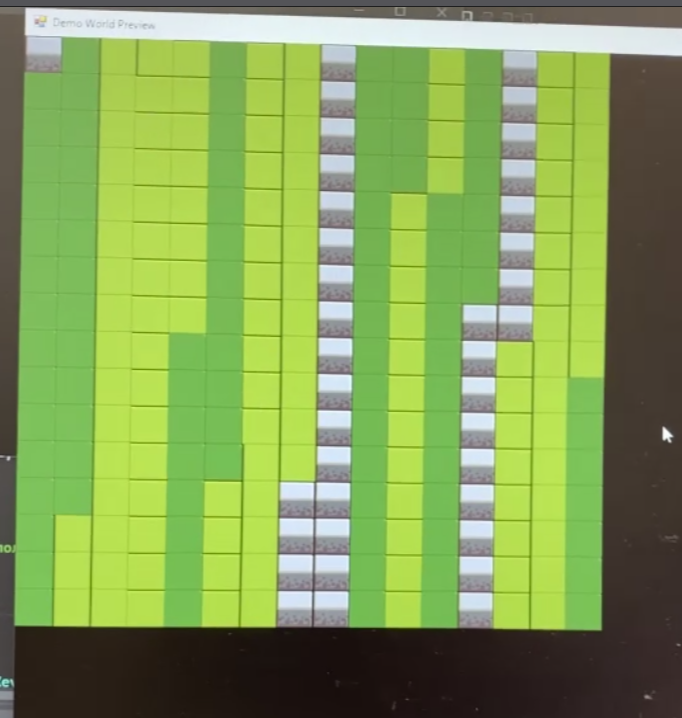
Looks ugly, but it was already something. This photo (yes, as you can see, for some reason I didn't take screenshots, I took photos) taken made on 23 March 2022.
The same day I replaced the assets with the tiles that you can find in the Sid Meier's Civilization Board Game.
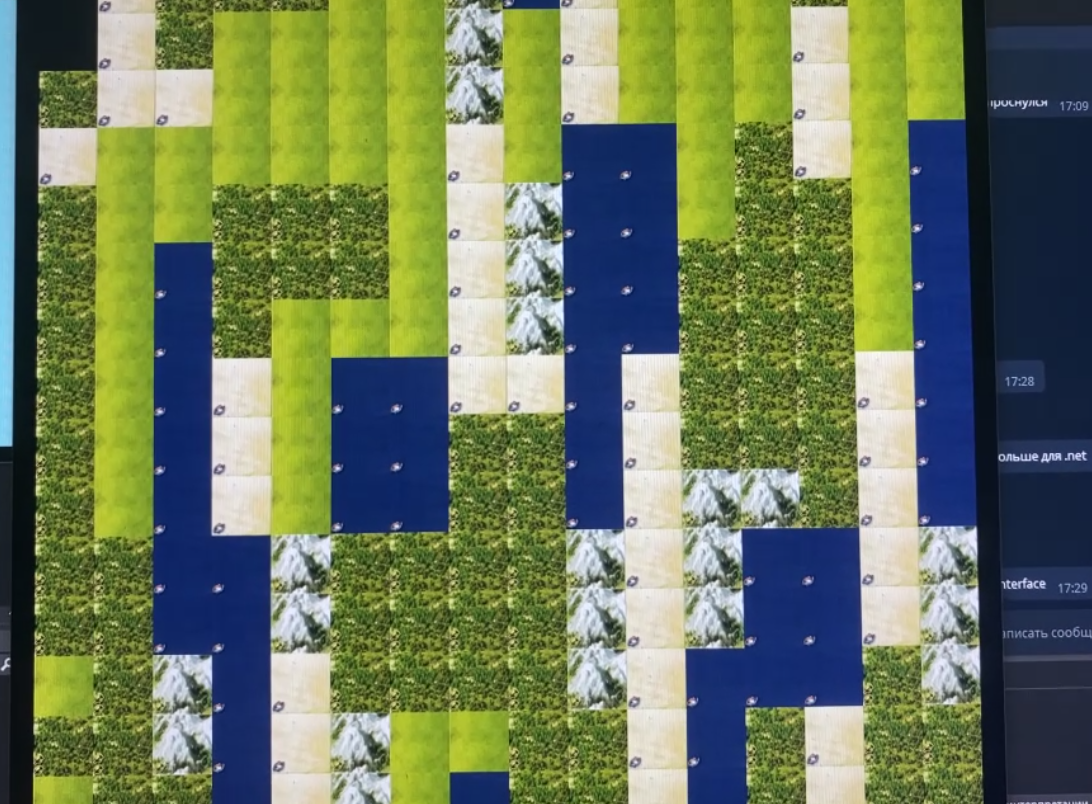
It looked much better, but you can see, that the the random generator couldn't create anything resembling a real-world landscape. At the time I didn't know how to solve this problem, so I decided to focus on the most important part of any computer game - on interaction.
First Interactions
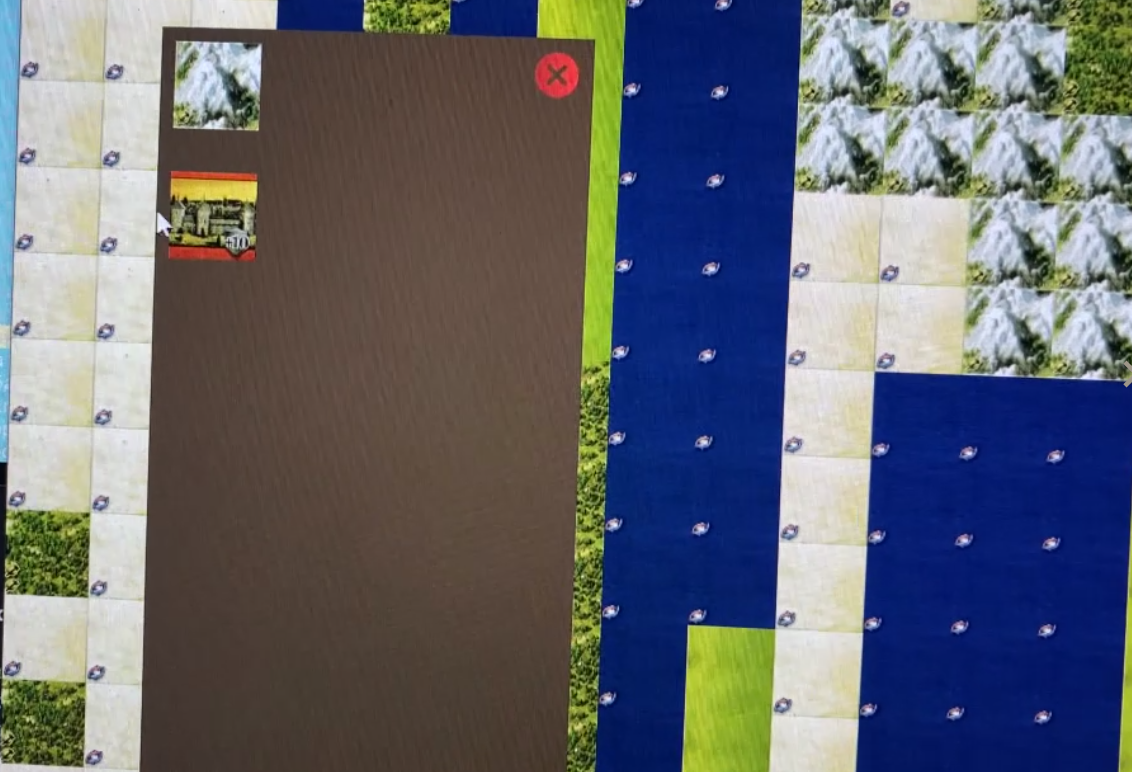
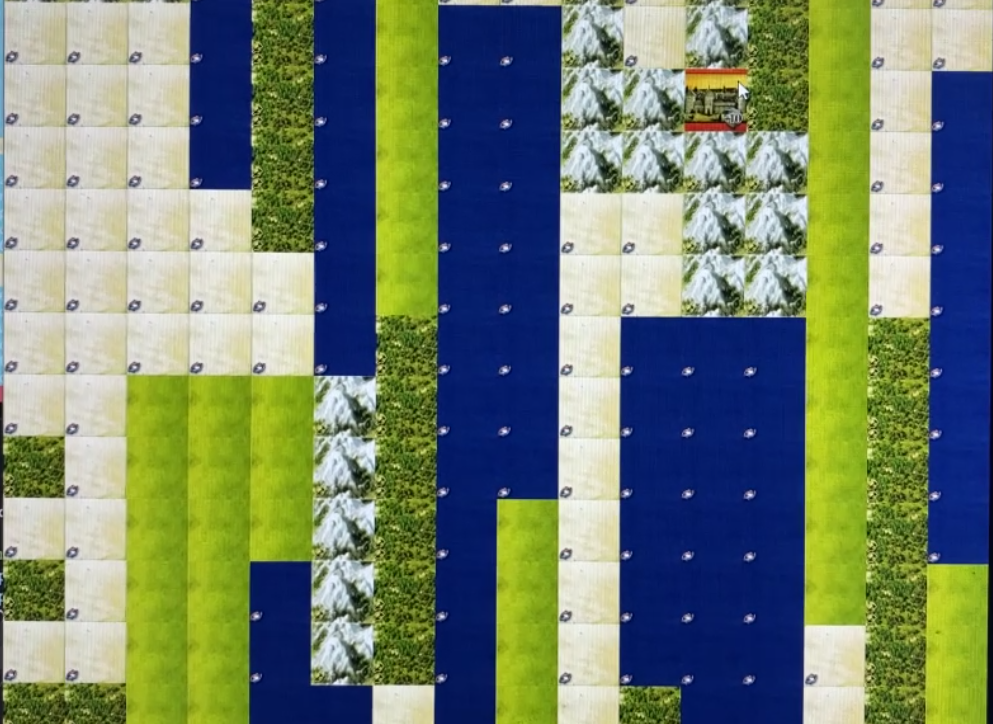
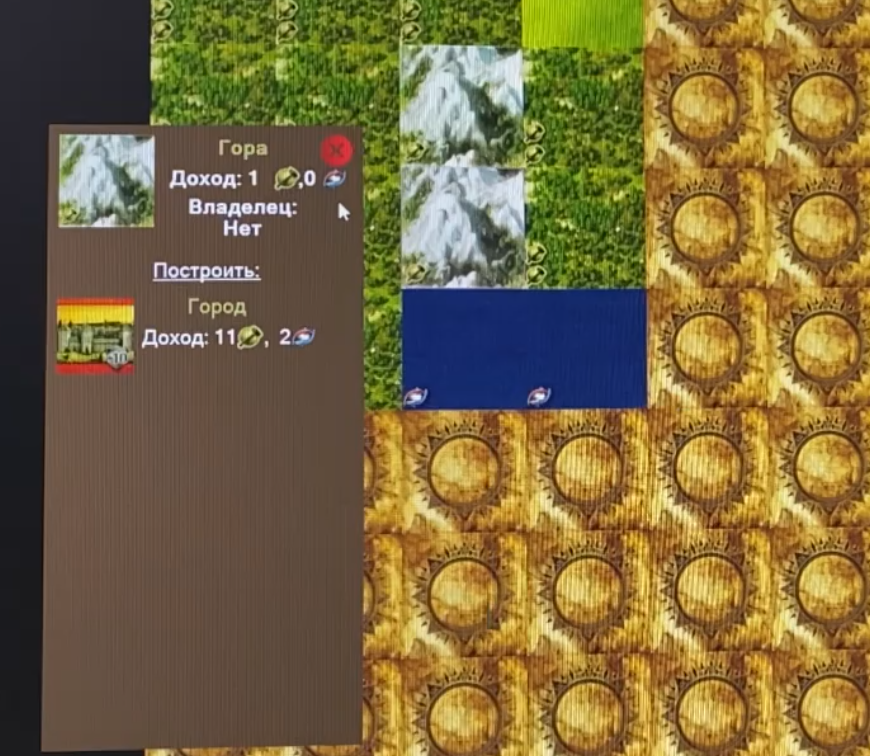
So the first thing I implemented was the ability to replace tiles when I clicked on them. It wasn't very useful, but it allowed me to implement my first UI element, which showed me what type of tile I had clicked on. This UI also showed a city icon you could click in order to build one. And then, when a player had a city, they could click on the tiles around the city in order to build buildings (they are based on the tile type)
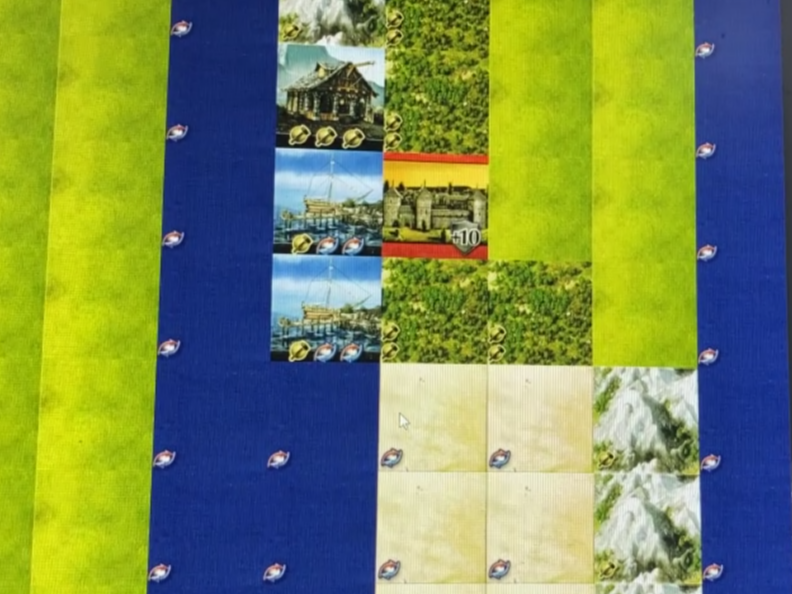
Hidden Tiles and more UI
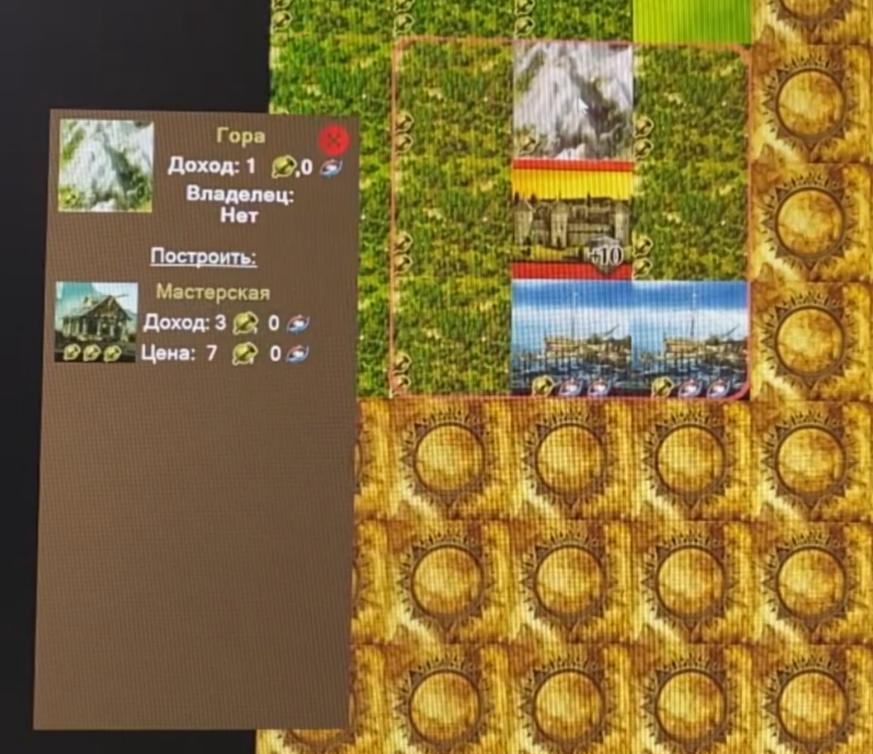
By 4 April 2022 I already had a system for hiding unexplored tiles, for building cities and calculating the resources.
Perlin noise
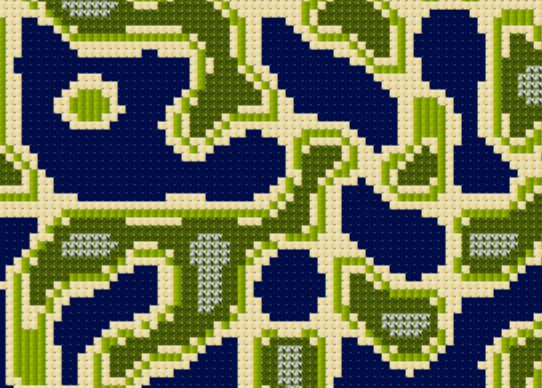
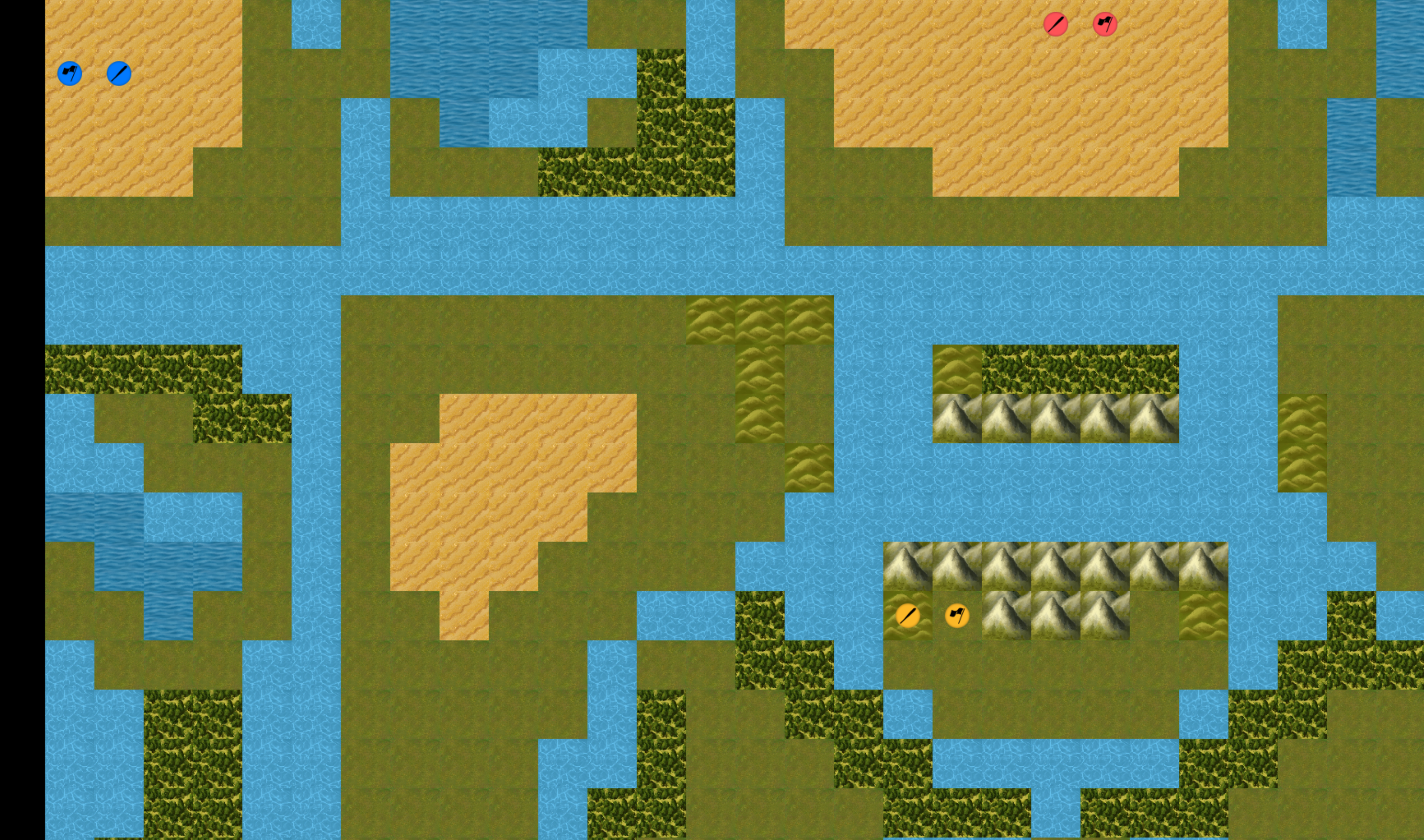
You saw the first world generation examples and they weren't exactly realistic. But I found a way to make the world look much better - the Perlin noise. I won't get into the details of how Perlin noise works, but I'll just say that I used it to create two 'maps', that were used to generate the world: one was the height map and the other was the temperature map. When combined, they showed interesting results and solved my problem of world generation.
AI for the computer controlled players
As I was developing the different game systems, such as unit movement, city building, resource management, construction of units and buildings, I had also to implement the AI for the opponent players. Instead of implementing a complicated machine-learning system, I built a rule-based AI that evaluated possible actions and locations using the information available to the that player. Each player tried to locate the best places to build cities, explore the map, build the most valuable buildings and create more settler units to build more cities. For example, this is what a Green Player achieved after 13 turns:
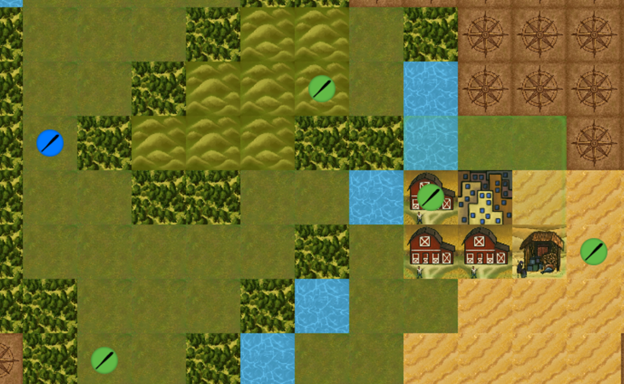
As you can see, it explored the map, built a city and built some buildings to support its development.
Technologies
What is a Civilization-like game without technologies? Technological development is one of the most important parts of any Civilization-like game, so I also needed to implement a technology system. I've based it on the technology pyramid system from the Sid Meier's Civilization the Board Game.
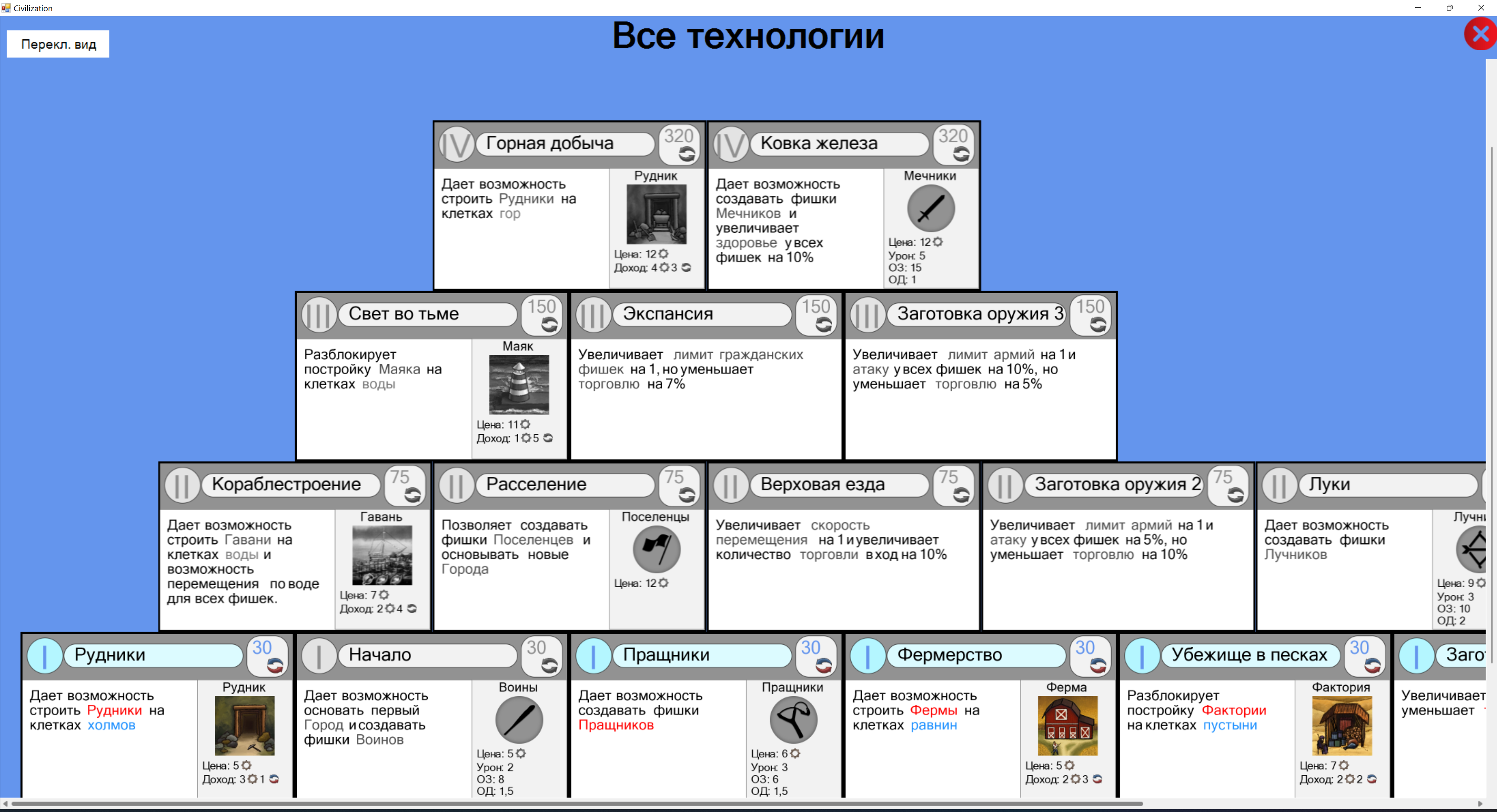 As you can see, there are many technologies to research. Some of them granted access to new buildings or units, while others provided additional bonuses. And in order to research the technology of the next level, you needed to have two technologies of the previous level. For example, in order to get a 3rd level technology, you need to already have two 2nd level technologies, which need four 1st level technologies in order to be researched.
Movement and fighting
All players have units. All units have movement points. Each tile could cost a different number of movement points to enter. And from the beginning of the game it's also not possible for units to pass through water tiles, as players need to research technologies in order to get this ability. How to make it work? The A* algorithm helped me achieve these goals. I was amazed when I learned about this algorithm and how elegant it was. This pathfinding algorithm was used by both player units and opponent players. It was also very useful, when I implemented automatic exploration for the player units, so the player could focus on building, researching and/or war instead of exploring the map by manually controlling each unit.
University project
The result of this project for my university was a success, as I managed to create a Civilization-like game from scratch in just 3 months. It had map generation, different players, different map sizes, map exploration, ai opponent players, research of technologies, construction of buildings and units, turn system. I also used my own assets. I paid my friend to make them, so my game looked better and didn't use any licensed materials.
But I haven't stopped there.
August 2022 - December 2022
During this period I continued working on this game in my free time. I added many new features, such as minimap, proper zooming, camera movement by dragging instead of WASD buttons, an animation system, and more.
I also found a way to port the game to macOS. I know, that .NET Framework and Windows Forms are Windows-only technologies, but I found the Mono project, which made it possible to compile my code on macOS… but Windows Forms didn't work. So I updated my game from .NET Framework to .NET 6 and…Windows Forms still didn't work on macOS. I was very sad, but didn't want to surrender, so I found someone's port of Windows Forms to Cocoa. It was a partial reimplementation, but it was the missing part I was looking for. I found workarounds for the parts that were either missing or didn't work properly and made the game work!
Why I stopped working on it?
Rendering performance
This is the sad part…and the reason is Windows Forms. Windows Forms is an old GUI framework, that was not designed to create games. And I tried to make a real-time game using this framework. During the development of my game, at every step, I ran into problems with Windows Forms. Usually it were either performance issues or compatibility issues (as Windows Forms didn't want to work on other operating systems). And the performance issues were not minor, they were my daily problem. Every day I tried to find ways to make the game a little faster, because it had a good frame rate, but only if I had small maps and didn't use zooming in/out. I found many ways to optimize the game and my usage of Windows Forms.
My optimizations
For example, I've created chunks for the map, so there were fewer things to process each frame. I've created a lot of caching mechanisms for maps and images, so they didn't need to be redrawn as often. For copying of images or parts of images I made custom functions with unsafe and pointers (which are not normally used by C# developers, as far as I know, but I really needed that performance), that made the game work several times faster (the increase was from ~26 to 300 FPS), but it was still not enough, as Windows Forms was struggling every time I tried to add any simple things. I also had to reimplement a lot of UI handling, because Windows Forms, for some reason, creates a native window handle for many controls, including labels, buttons, and even empty controls — essentially treating a simple UI element as a native window with a lot more overhead than I expected from a basic UI element.
The Zooming issue
I did all of this and solved a lot of performance issues, but the last one made me want to rewrite everything - the 'Zooming' issue. When I wanted to zoom in or zoom out, my FPS could drop from 300 to 8. And do you know why? Because of scaling. Scaling images can be surprisingly expensive for the CPU, especially when you're doing it repeatedly. And when I wanted to scale every tile (or every chunk of tiles) each frame… it was simply too much for the CPU.
The 'Solution'
I found online, that I can optimize some things by applying matrix transformations to some of the operations, but the Windows Forms API was too limited, so I couldn't do a lot. So I decided to make the game render only the tiles that could be seen from the camera. As far as I remember, it was difficult to implement and it helped…but I still had 4-16 FPS when I was zooming out compared to 300 FPS without zooming.So I decided to cache each zoom level and rebuild the cache when needed. And it worked! The first time, the cache is created, there was a lag spike, and then everything worked flawlessly! So I won? No. When I looked at the task manager, I saw that my 2D game was eating 16 Gigabytes of RAM. And It was just the medium-sized game map…
What is next
I had some ideas back then about how to solve this performance issue AND use much less RAM, but I was already so tired of all these issues with Windows Forms, so I decided to rewrite my game from scratch. While developing my game, I also had to make a small game engine for it, that handled input, graphics, animations, assets, etc. But it was built around Windows Forms, and it was impossible to decouple them without a complete rewrite, so I decided to start over, make a new game engine that would be cross-platform and would make use of the GPU for rendering, so I could then port my Civilization game to it.
And so began my journey with BeeEngine, my own game engine project. But this story is for another time. When I finish writing it, I'll put a link here.
I might publish the document from my university and/or the source code for this game in the future. If someone really wants me to do it, feel free to contact me.